How to Use Shrewd LMS as Student
Everything you need to access your learning, complete activities, monitor your progress, and download course certificates in Microsoft Teams.
Do not share your account credentials. Report any suspicious activity to your course administrator.
Global Dashboard
Find your courses and review learning activity
Overview Page
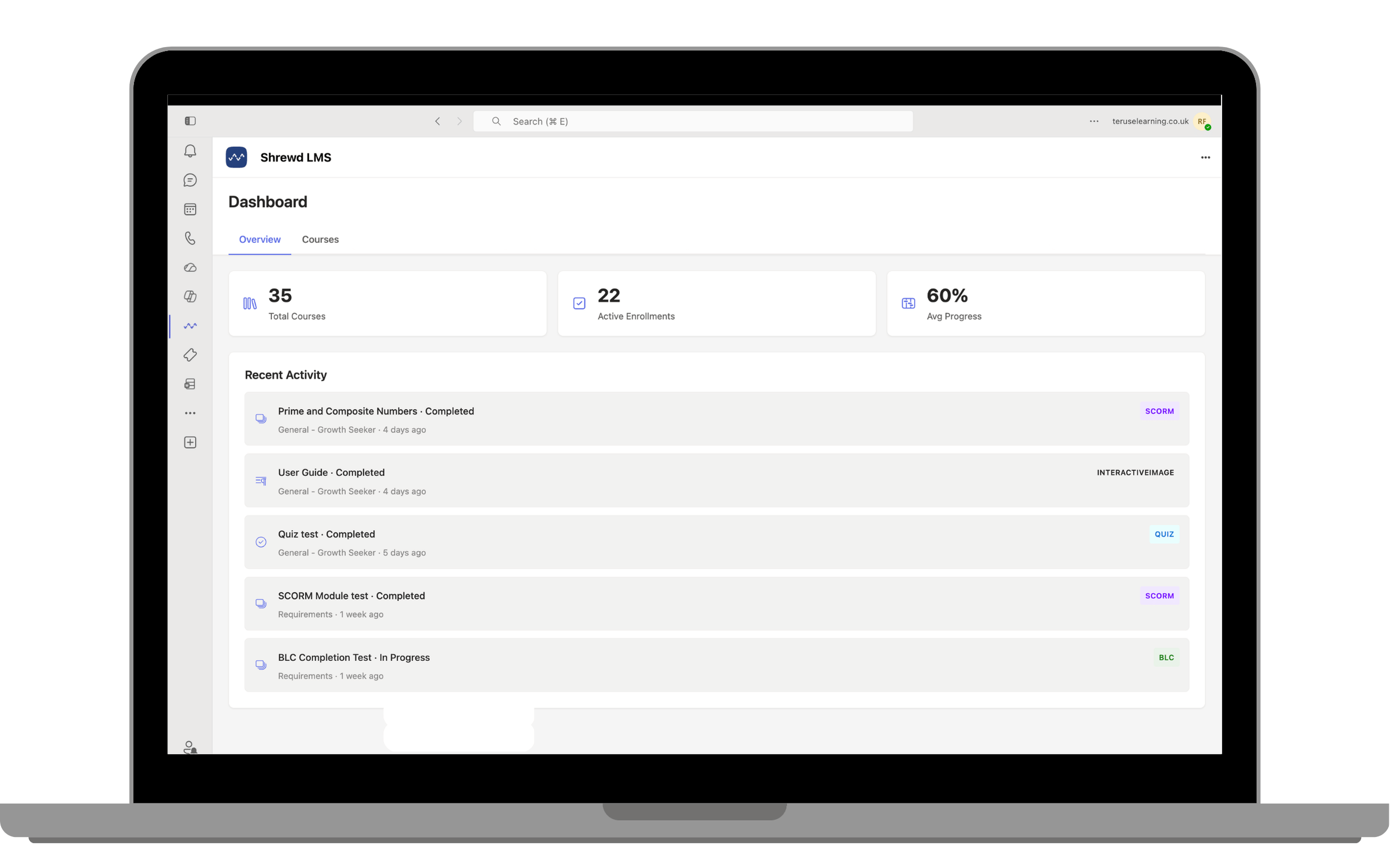
The Overview page provides a quick summary of your learning activity without needing to open individual courses.
Learning Summary shows your total courses, active enrolments, and average progress.
Recent Activity shows activity name, completion status, channel, date, and activity type for work you have recently completed or are currently working on.
Courses Page
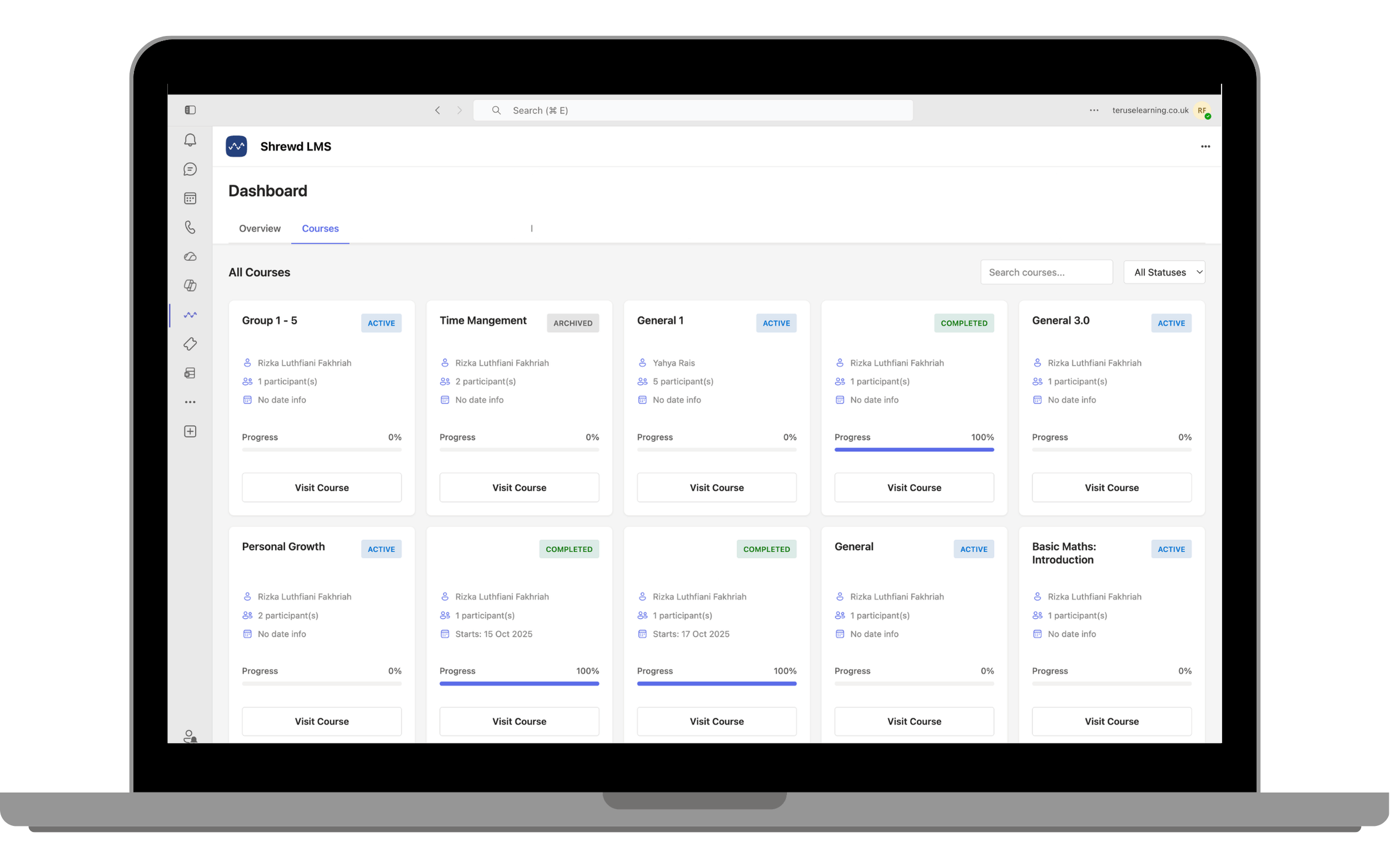
The Courses page displays all courses available to you. Use Search courses to find a course by name, and use the Status filter to show Active, Completed, or Archived courses.
Each course card shows its name, status, course owner, number of participants, dates, and your current progress. Select Visit Course to open it.